

Connecting AI Providers
Herd Studio doesn’t come with its own AI subscription. Instead, you bring the AI provider that you already use. Herd ships with opencode and uses it to talk to all AI providers, so you connect your provider once and every agent in Herd Studio can use its models.Connecting a provider
You can connect providers in the AI tab of the Herd settings under “AI Providers”, or during the onboarding.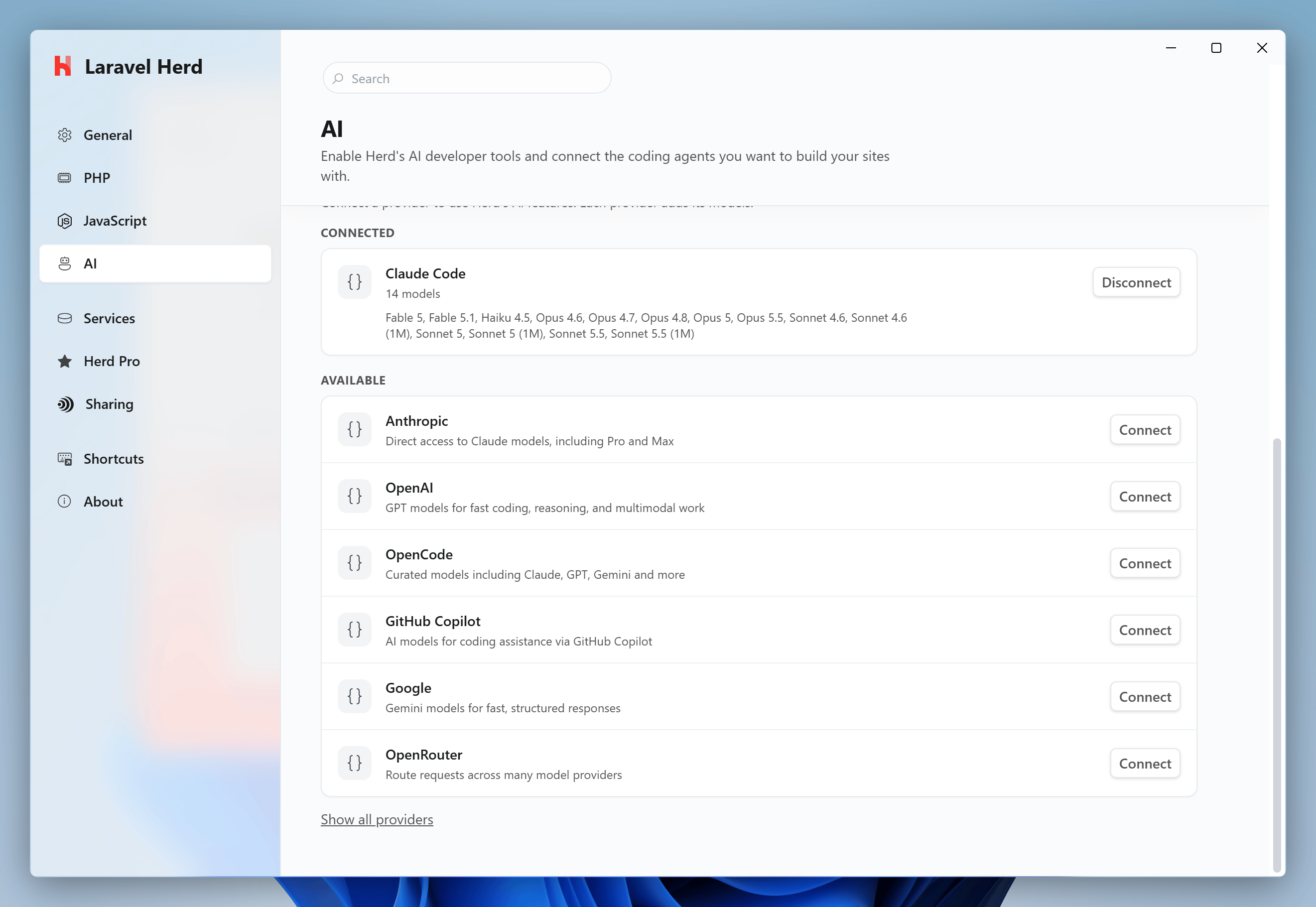
- Anthropic: Claude models with an Anthropic API key.
- OpenAI: GPT models.
- OpenCode: curated models including Claude, GPT, Gemini and more.
- GitHub Copilot: models from your GitHub Copilot subscription.
- Google: Gemini models.
- OpenRouter: route requests across many model providers.
If you already use opencode on your PC, Herd imports its provider sign-ins the first time Herd Studio starts. After that, Herd manages its providers separately, so connecting or disconnecting a provider in Herd doesn’t change your own opencode installation.
Using your Claude subscription
If you use Claude Code with a Claude Pro or Max plan, you can use this plan in Herd Studio as well. Herd detects the Claude Code installation on your PC and shows it as a separate “Claude Code” provider with all models of your plan – next to the “Anthropic” provider, which uses an API key. Herd uses the opencode-claude plugin for this. It sends every request through the official Claude Agent SDK and theclaude CLI on your machine, so Claude Code handles the communication with Anthropic and your sign-in stays with Claude Code. Herd never reads or stores your Claude credentials, and the usage counts towards the limits of your plan.
If Claude Code is not signed in yet, run claude auth login in your terminal. The Claude Code provider only works with a Claude plan. If your Claude Code uses an API key, connect the Anthropic provider with this key instead.