> ## Documentation Index
> Fetch the complete documentation index at: https://herd.laravel.com/docs/llms.txt
> Use this file to discover all available pages before exploring further.
# Manage PHP
# Using different PHP versions
Herd ships with the latest stable PHP version by default. Currently, that's PHP 8.5. However, you may install and use different PHP versions for your sites and configure Herd that every project uses the version that it needs.
## Via the GUI
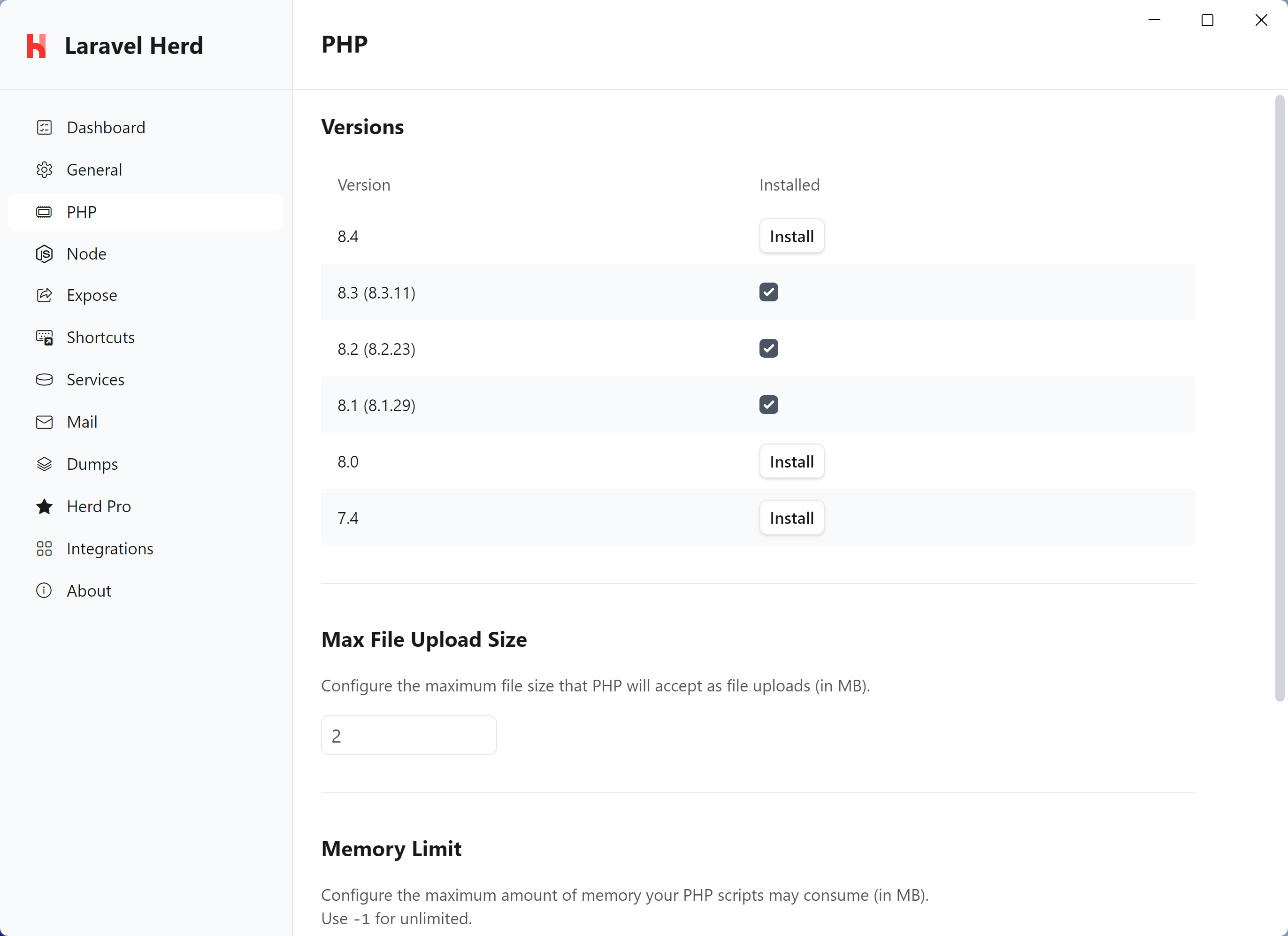
You can manage your PHP versions in the "PHP" tab of the preferences window. This window allows you to install and update PHP versions with a single click.
 In order to change the global PHP version that Herd uses by default, select it in the dropdown menu in the menu bar.
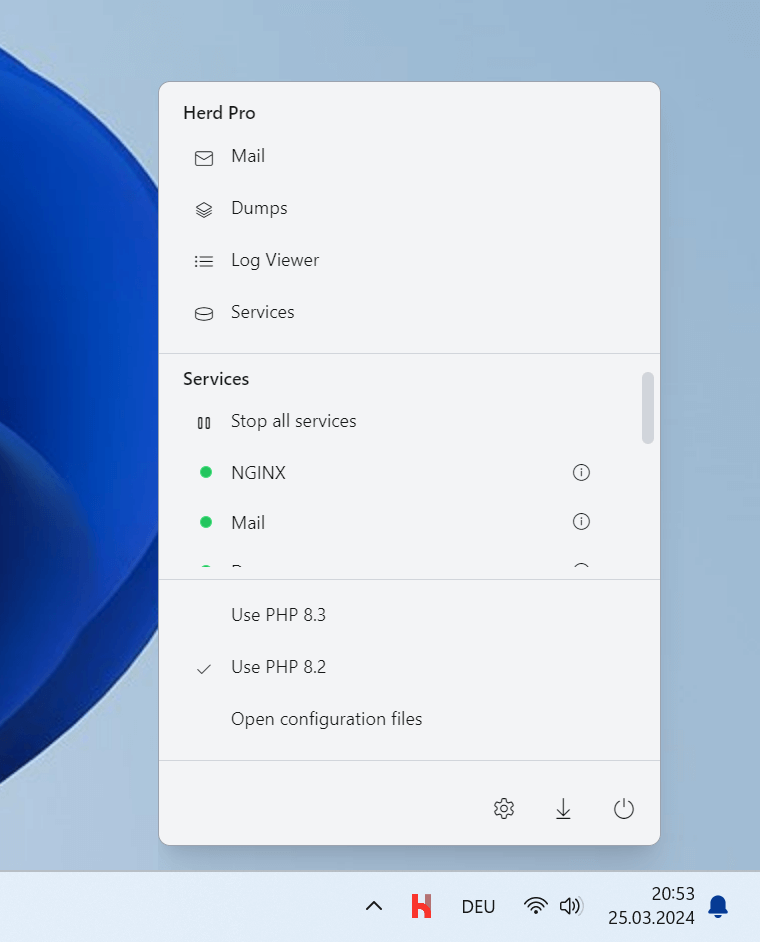 The selected PHP version will be used for all sites that are not [isolated](#per-site-php-versions).
## Using different PHP versions via the CLI
If you prefer to use the CLI, you can use the `herd use` command to set the global PHP version.
```powershell theme={null}
herd use 8.2
```
### Installing and updating PHP versions via the CLI
You can list all available PHP versions and their status with `herd php:list`:
```powershell theme={null}
herd php:list
```
To install a new PHP version:
```powershell theme={null}
herd php:install 8.3
```
To update an installed PHP version to the latest patch release:
```powershell theme={null}
herd php:update 8.4
```
# Per-site PHP versions
By default, Herd uses the global PHP version to serve all your sites. However, if you need to support different PHP versions for different sites, you may use the isolate function. This configures Herd to use a specific PHP version for a site, regardless of the global PHP version.
## Per site PHP versions via the GUI
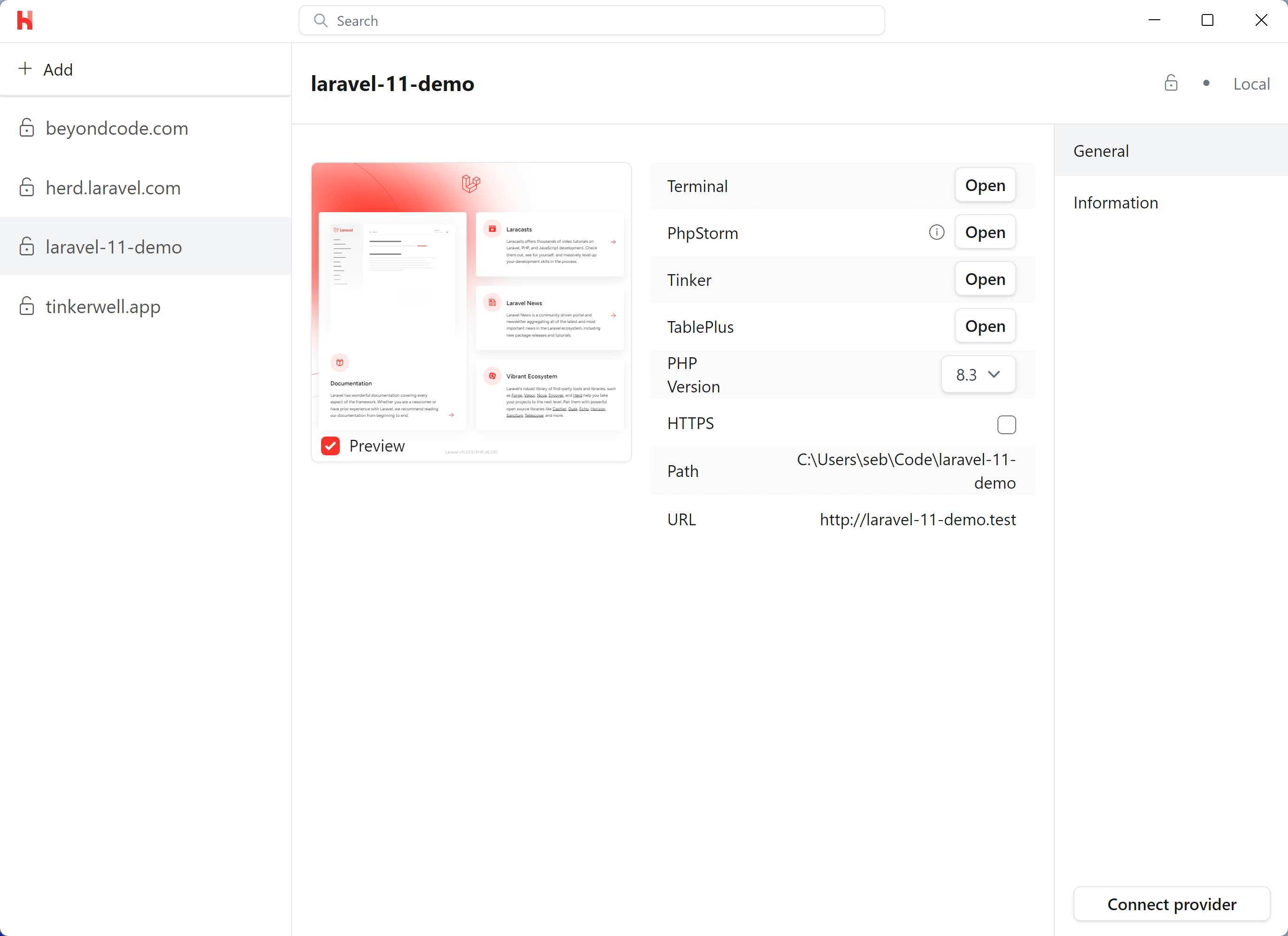
You can configure the PHP version per site in the [Site Manager](/windows/advanced-usage/managing-sites). This gives you a list of all your sites and allows you to configure the PHP version that each site uses.
Just select the PHP version that you want to use for the site in the dropdown menu.
The selected PHP version will be used for all sites that are not [isolated](#per-site-php-versions).
## Using different PHP versions via the CLI
If you prefer to use the CLI, you can use the `herd use` command to set the global PHP version.
```powershell theme={null}
herd use 8.2
```
### Installing and updating PHP versions via the CLI
You can list all available PHP versions and their status with `herd php:list`:
```powershell theme={null}
herd php:list
```
To install a new PHP version:
```powershell theme={null}
herd php:install 8.3
```
To update an installed PHP version to the latest patch release:
```powershell theme={null}
herd php:update 8.4
```
# Per-site PHP versions
By default, Herd uses the global PHP version to serve all your sites. However, if you need to support different PHP versions for different sites, you may use the isolate function. This configures Herd to use a specific PHP version for a site, regardless of the global PHP version.
## Per site PHP versions via the GUI
You can configure the PHP version per site in the [Site Manager](/windows/advanced-usage/managing-sites). This gives you a list of all your sites and allows you to configure the PHP version that each site uses.
Just select the PHP version that you want to use for the site in the dropdown menu.
 ## Per site PHP versions via the CLI
If you prefer to use the CLI, you can use the `herd isolate` command to specify which PHP version a particular site should use.
The `isolate` command configures Herd to use the specified PHP version for the site located in your current working directory:
```shell theme={null}
cd %USERPROFILE%/Herd/example-site
herd isolate 8.0
```
If your site name does not match the name of the directory that contains it, you may specify the name using the `--site` option:
```powershell theme={null}
herd isolate 8.0 --site="site-name"
```
For convenience, you may use the `herd php`, `composer`, and `which-php` commands to proxy calls to the appropriate PHP CLI or tool based on the configured PHP version for the current directly and site:
```powershell theme={null}
herd php
herd composer
herd which-php
```
You may execute the `isolated` command to display a list of all of your isolated sites and their PHP and Node.js versions:
```powershell theme={null}
herd isolated
```
To revert a site back to Herd's globally installed PHP version, you may invoke the `unisolate` command from the root directory of the site:
```powershell theme={null}
herd unisolate
```
## Uninstalling PHP versions
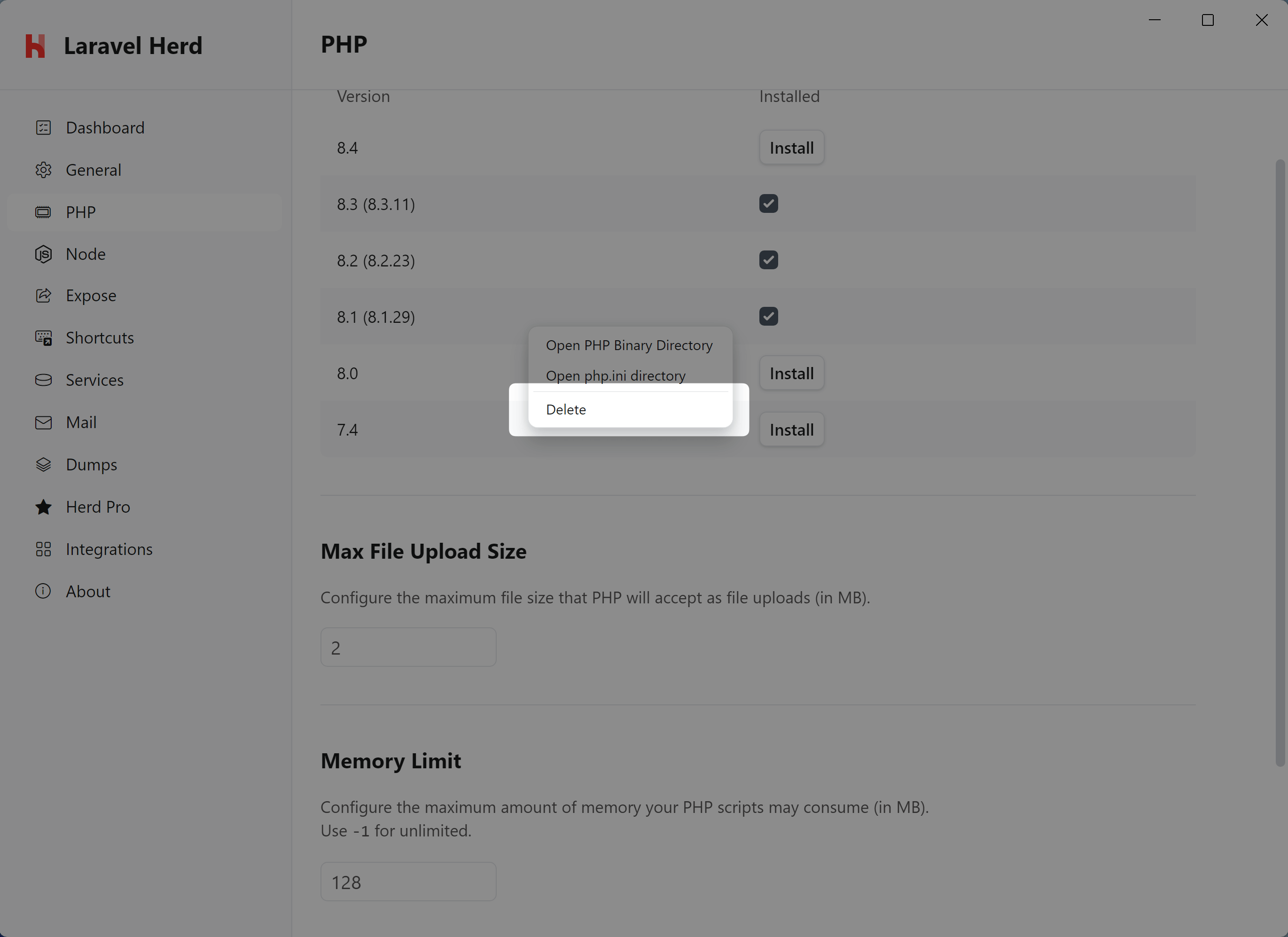
You can uninstall PHP versions from the PHP settings. Simply right-click on a version and delete it via the context menu.
## Per site PHP versions via the CLI
If you prefer to use the CLI, you can use the `herd isolate` command to specify which PHP version a particular site should use.
The `isolate` command configures Herd to use the specified PHP version for the site located in your current working directory:
```shell theme={null}
cd %USERPROFILE%/Herd/example-site
herd isolate 8.0
```
If your site name does not match the name of the directory that contains it, you may specify the name using the `--site` option:
```powershell theme={null}
herd isolate 8.0 --site="site-name"
```
For convenience, you may use the `herd php`, `composer`, and `which-php` commands to proxy calls to the appropriate PHP CLI or tool based on the configured PHP version for the current directly and site:
```powershell theme={null}
herd php
herd composer
herd which-php
```
You may execute the `isolated` command to display a list of all of your isolated sites and their PHP and Node.js versions:
```powershell theme={null}
herd isolated
```
To revert a site back to Herd's globally installed PHP version, you may invoke the `unisolate` command from the root directory of the site:
```powershell theme={null}
herd unisolate
```
## Uninstalling PHP versions
You can uninstall PHP versions from the PHP settings. Simply right-click on a version and delete it via the context menu.
 If you prefer deleting a PHP version manually, you can go into the Herd application directory and delete the files from your system. Once you reopen the settings, you can reinstall them.
```
%USERPROFILE%\.config\herd\bin
```
If you prefer deleting a PHP version manually, you can go into the Herd application directory and delete the files from your system. Once you reopen the settings, you can reinstall them.
```
%USERPROFILE%\.config\herd\bin
```