> ## Documentation Index
> Fetch the complete documentation index at: https://herd.laravel.com/docs/llms.txt
> Use this file to discover all available pages before exploring further.
# PHP Settings
# Changing PHP settings
The values that most developers change are the memory limit and the max upload size. You can modify them in the settings and don't need to go deep into configuration files.
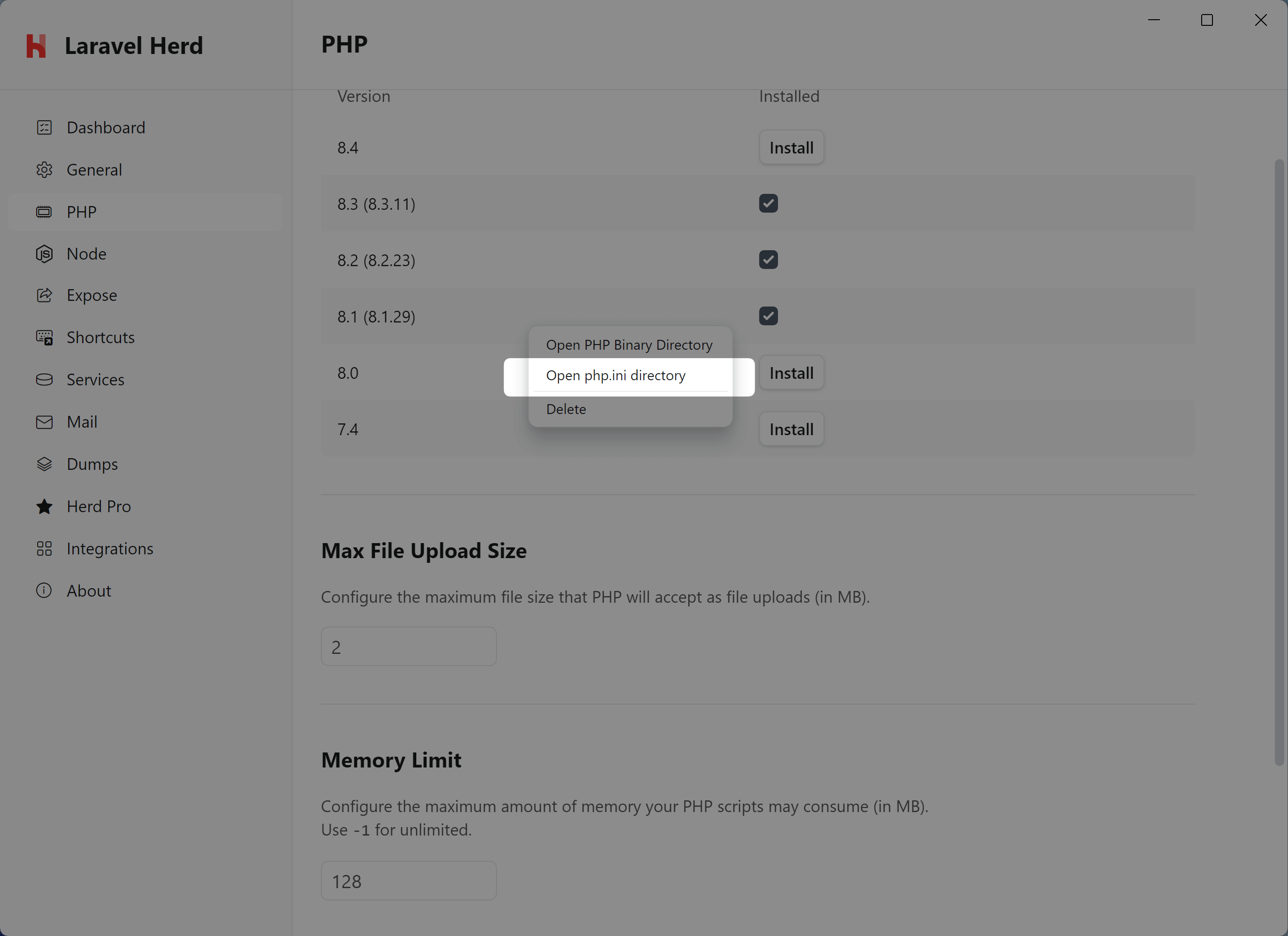
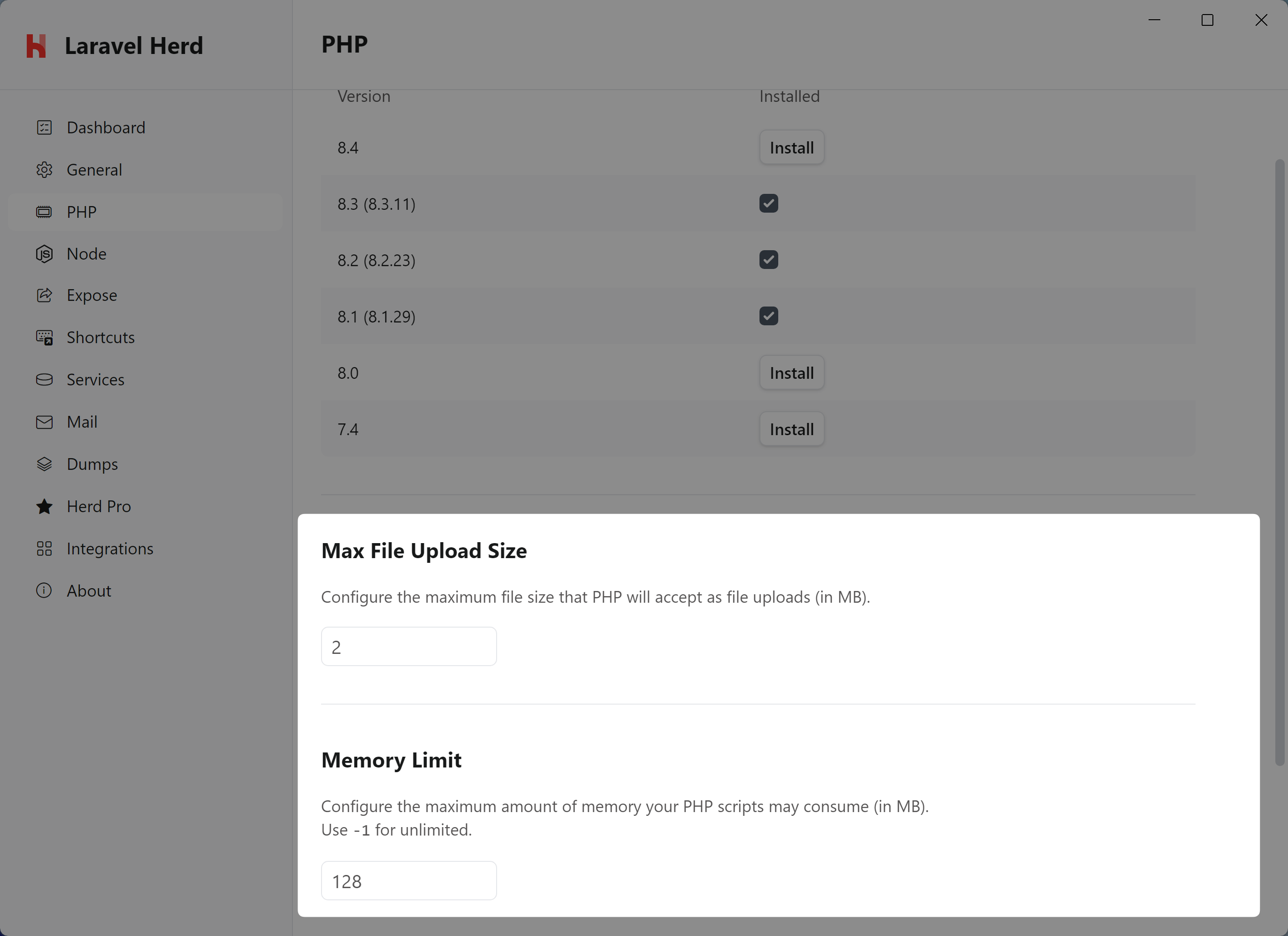 Herd gives you easy access to the PHP configuration files on your machine, the easiest way to get to the file is to select the php.ini directory from the context menu of the settings.
 Each installed PHP version has its own `php.ini` file located at
`%USERPROFILE%\.config\herd\bin\\php.ini`.
You can edit this file to change the PHP settings for the specified PHP versions.
If you want to quickly access your php.ini file via the CLI, you may use the `herd ini` command.
The changes will be immediately available to the PHP CLI version, but you will need to restart all Herd services to apply the changes to HTTP requests via nginx.
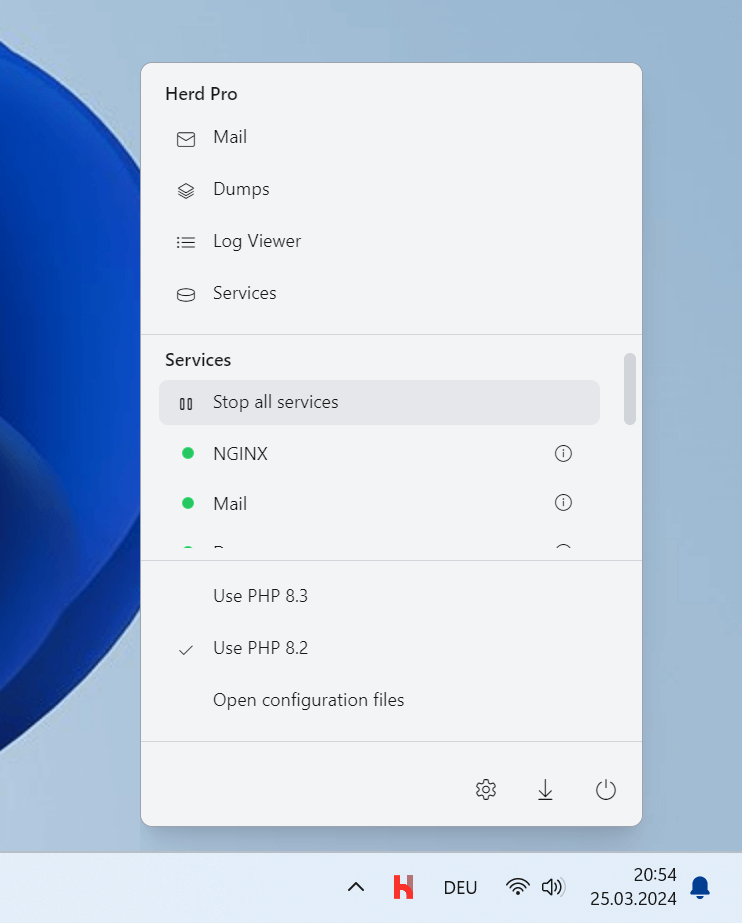
You can restart all services by clicking "Stop all" and then "Start all" in the Herd dropdown menu in the menu bar – it just takes 1-2 seconds.
Each installed PHP version has its own `php.ini` file located at
`%USERPROFILE%\.config\herd\bin\\php.ini`.
You can edit this file to change the PHP settings for the specified PHP versions.
If you want to quickly access your php.ini file via the CLI, you may use the `herd ini` command.
The changes will be immediately available to the PHP CLI version, but you will need to restart all Herd services to apply the changes to HTTP requests via nginx.
You can restart all services by clicking "Stop all" and then "Start all" in the Herd dropdown menu in the menu bar – it just takes 1-2 seconds.
 Alternatively, you can use the `herd restart` command in the terminal.
```shell theme={null}
herd restart
```
## Improving CLI Performance with OPcache JIT
By default, PHP ships with the JIT (Just-In-Time) compiler effectively disabled because `opcache.jit_buffer_size` is set to `0`. Enabling JIT can significantly improve performance for CLI-heavy workloads like running tests, Artisan commands, or static analysis tools.
To enable JIT, open your `php.ini` file and add the following settings:
```ini theme={null}
opcache.jit_buffer_size=256M
opcache.jit=1255
```
Herd already enables `opcache.enable_cli=1` by default, so you only need to configure the JIT buffer size and mode.
After saving the file, the changes will be immediately available in new CLI processes — no restart is required for CLI usage.
Alternatively, you can use the `herd restart` command in the terminal.
```shell theme={null}
herd restart
```
## Improving CLI Performance with OPcache JIT
By default, PHP ships with the JIT (Just-In-Time) compiler effectively disabled because `opcache.jit_buffer_size` is set to `0`. Enabling JIT can significantly improve performance for CLI-heavy workloads like running tests, Artisan commands, or static analysis tools.
To enable JIT, open your `php.ini` file and add the following settings:
```ini theme={null}
opcache.jit_buffer_size=256M
opcache.jit=1255
```
Herd already enables `opcache.enable_cli=1` by default, so you only need to configure the JIT buffer size and mode.
After saving the file, the changes will be immediately available in new CLI processes — no restart is required for CLI usage.