> ## Documentation Index
> Fetch the complete documentation index at: https://herd.laravel.com/docs/llms.txt
> Use this file to discover all available pages before exploring further.
# Log Viewer
# Inspect local log files
If you don't want to run a terminal command like `more` or tail the logs with [Laravel Pail](https://laravel.com/docs/11.x/logging#tailing-log-messages-using-pail), you can use Herd's integrated log viewer. It allows you to inspect your log files in great detail and makes searching through logs a breeze.
If you are only interested in the logs of the latest request, you man use the [log view](/windows/herd-pro/dumps#logs) of the [Dumps](/windows/herd-pro/dumps) feature to get the most recent logs automatically.
This feature requires PHP 8.0 or later
Herd automatically polls for new logs every few seconds as long as the Logs window is open.
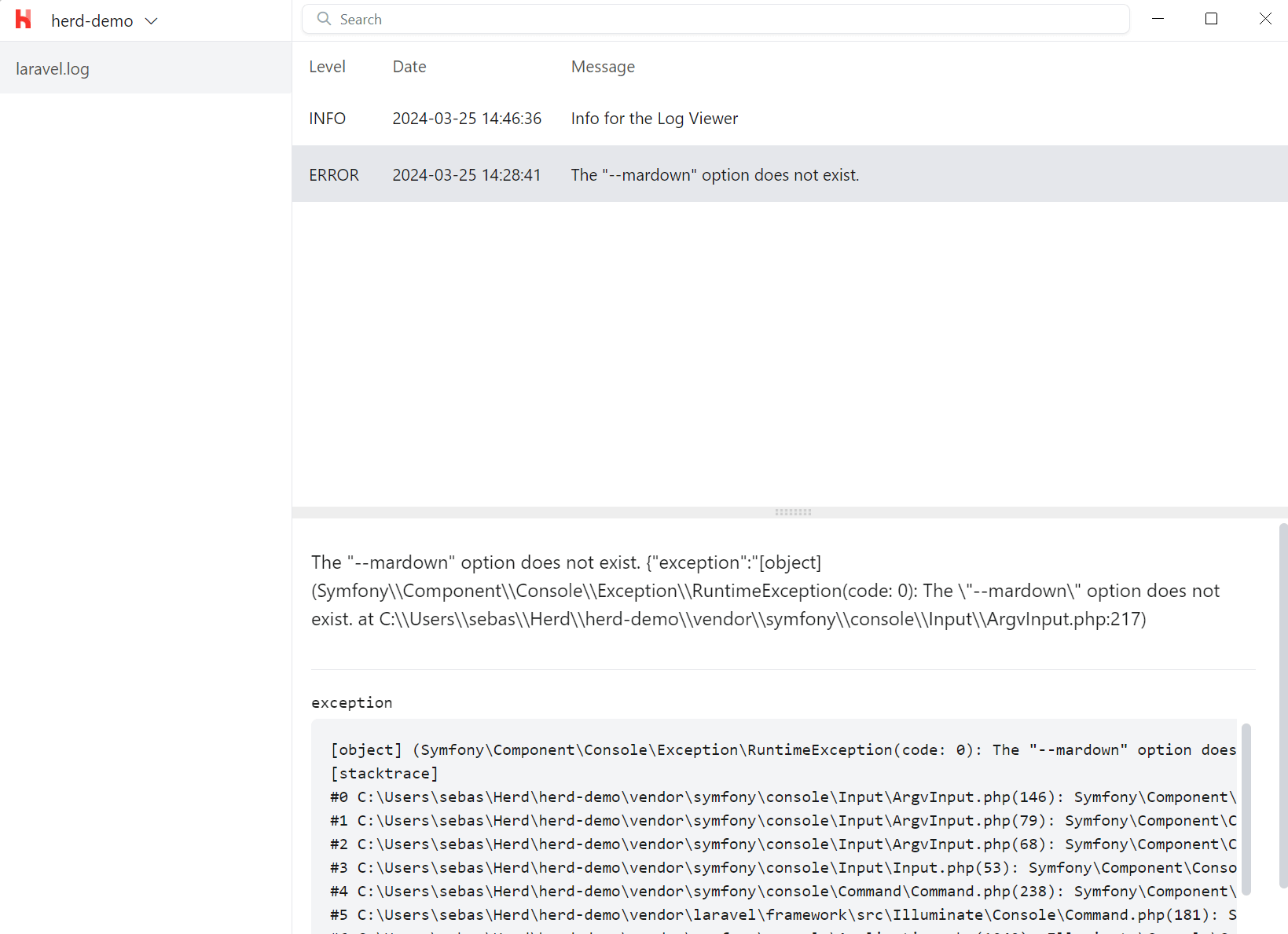 ## Selecting a Project and Log File
The log window automatically shows the latest log file of the latest project that you served via Herd. This allows you to quickly find the latest log file, but you can also switch between all projects that Herd knows and can serve.
If your project includes more than one log file, for example when using daily log rotation, you can select the log file on the left.
## Searching in Log Files
The search bar at the top searches through all logs and allows you to pinpoint all log entries that match your search query. You can hit Cmd+F in the text area that shows the details of the entry and search within this single entry.
## Custom log paths
Herd looks for logs in the framework-specific standard directory, such as `storage/logs` for Laravel. You can change that directory and even add multiple log directories by using a [custom driver](/windows/extending-herd/custom-drivers#customize-herds-behaviour) for that application.
## Selecting a Project and Log File
The log window automatically shows the latest log file of the latest project that you served via Herd. This allows you to quickly find the latest log file, but you can also switch between all projects that Herd knows and can serve.
If your project includes more than one log file, for example when using daily log rotation, you can select the log file on the left.
## Searching in Log Files
The search bar at the top searches through all logs and allows you to pinpoint all log entries that match your search query. You can hit Cmd+F in the text area that shows the details of the entry and search within this single entry.
## Custom log paths
Herd looks for logs in the framework-specific standard directory, such as `storage/logs` for Laravel. You can change that directory and even add multiple log directories by using a [custom driver](/windows/extending-herd/custom-drivers#customize-herds-behaviour) for that application.