> ## Documentation Index
> Fetch the complete documentation index at: https://herd.laravel.com/docs/llms.txt
> Use this file to discover all available pages before exploring further.
# Shortcuts
# Shortcuts
Herd comes with global shortcuts that integrate with your system and make accessing your current project easier than ever.
You can set up these global shortcuts in the settings.
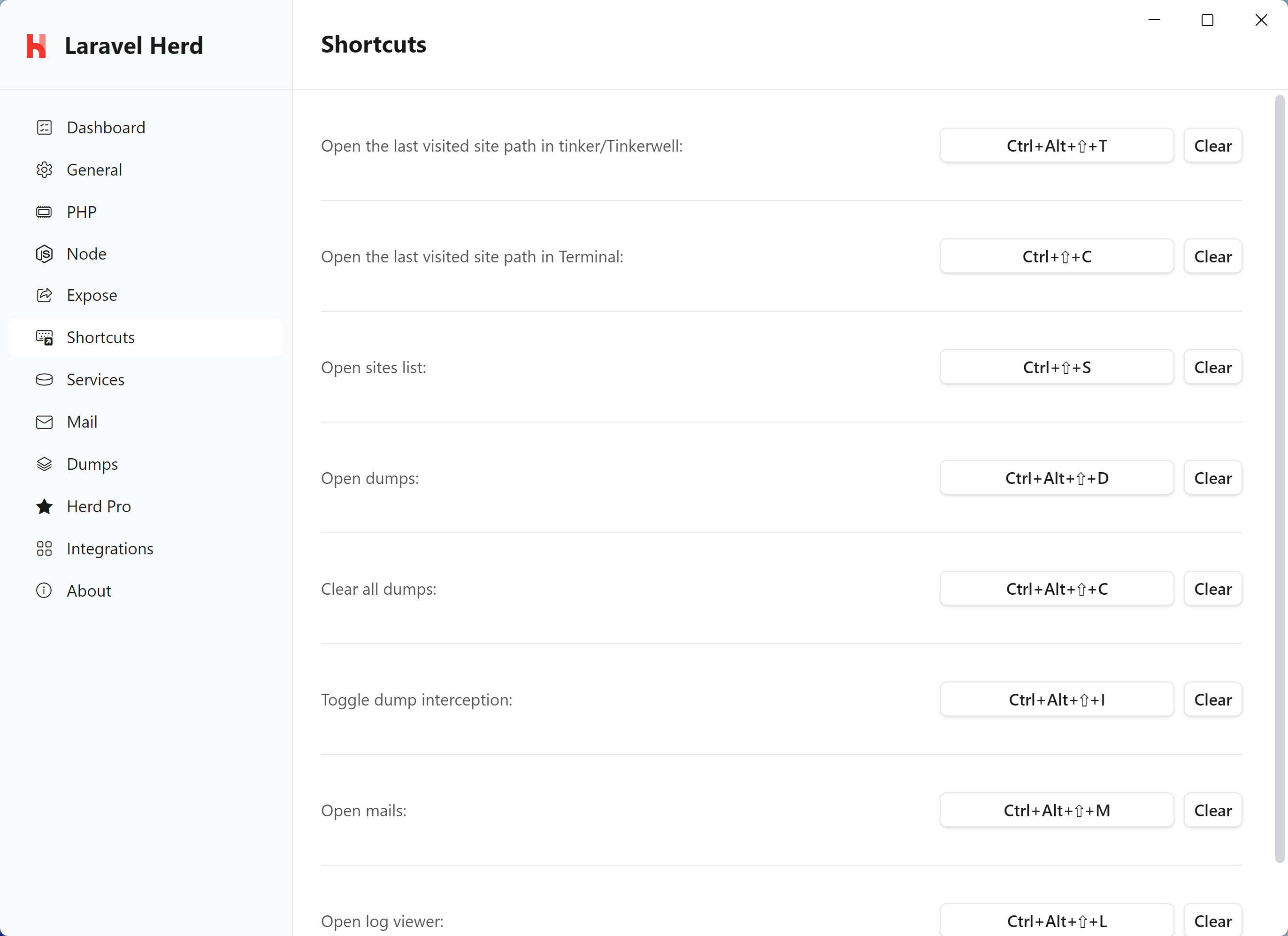 Herd supports the following shortcuts:
* Open `php artisan tinker` or [Tinkerwell](https://tinkerwell.app) for the active project
* Open the path of the active project in your terminal
* Open the list of sites in Herd
* Open Dumps
* Enable/Disable dump interception
* Clear all dumps
* Open Mails
* Open Log Viewer
Every time you serve a site by opening the site in your browser, this site becomes the active project and Herd remembers this URL.
Herd supports the following shortcuts:
* Open `php artisan tinker` or [Tinkerwell](https://tinkerwell.app) for the active project
* Open the path of the active project in your terminal
* Open the list of sites in Herd
* Open Dumps
* Enable/Disable dump interception
* Clear all dumps
* Open Mails
* Open Log Viewer
Every time you serve a site by opening the site in your browser, this site becomes the active project and Herd remembers this URL.