> ## Documentation Index
> Fetch the complete documentation index at: https://herd.laravel.com/docs/llms.txt
> Use this file to discover all available pages before exploring further.
# Valkey
# Setting up Valkey
Valkey is an alternative to Redis that is API compatible and can be used as a cache and queue driver in Laravel
applications. It's free and open source, making it a great choice for local development since Redis pivoted to a less
developer friendly license.
Keep in mind that using the `dump()` function in queued jobs only works if you pair it with the [Dumps](/macos/debugging/dumps) feature, otherwise dumps happen in the background, and you won't see them.
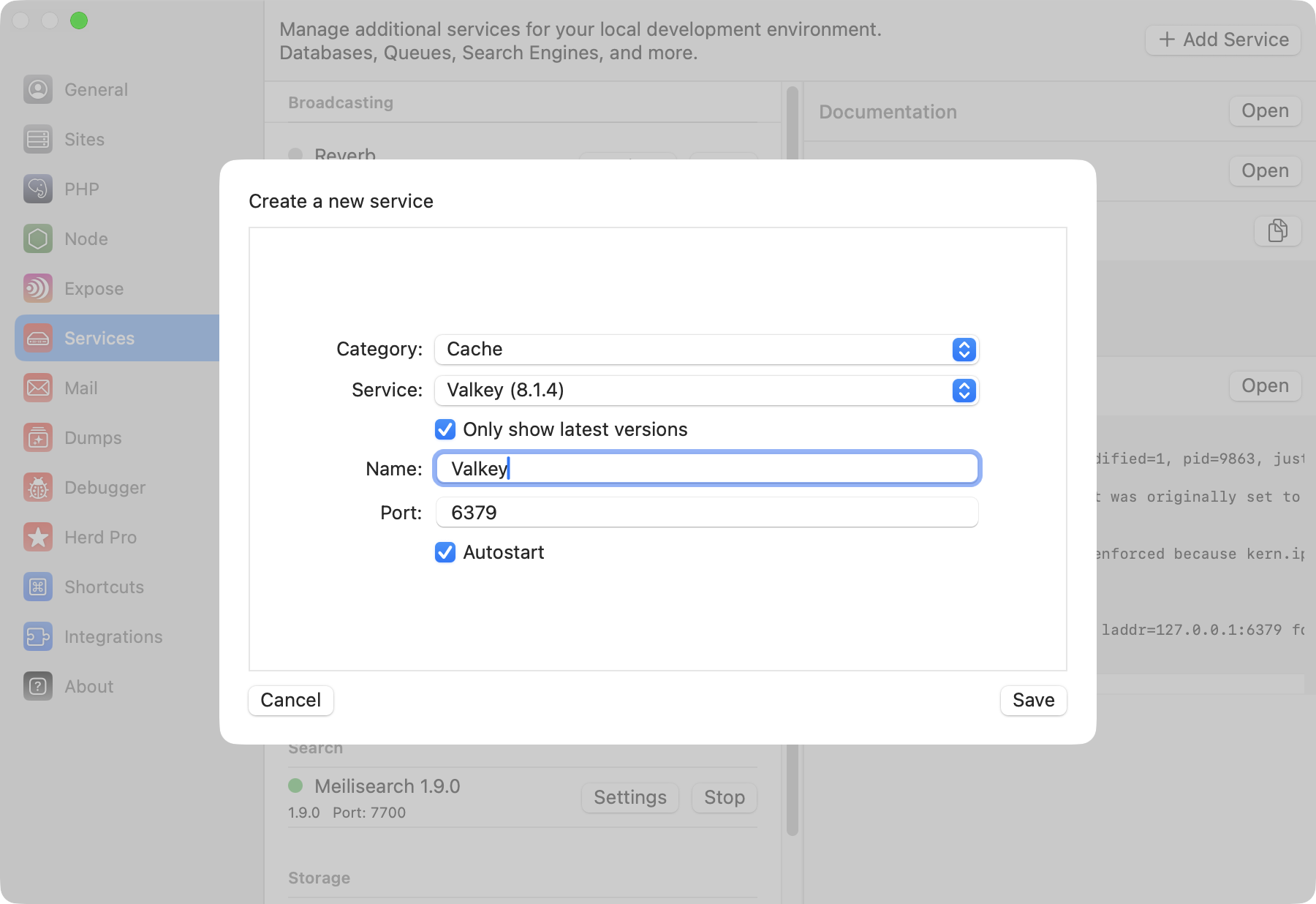
You can set up a new Valkey instance via the services tab of the settings.
 ## Configuration
Valkey comes with a sensible default configuration, making it easy to use for local development without any changes. If you want to change the port of the Valkey service or decide if you want to automatically start it with Herd, you can do that in the settings of the service.
You can modify the configuration by right-clicking the service in the settings and opening its data directory. In this data directory, there is a `valkey.conf` that this specific Valkey instance loads on startup.
Make sure to restart the service if you make changes to this configuration file.
## Accessing the Valkey instance
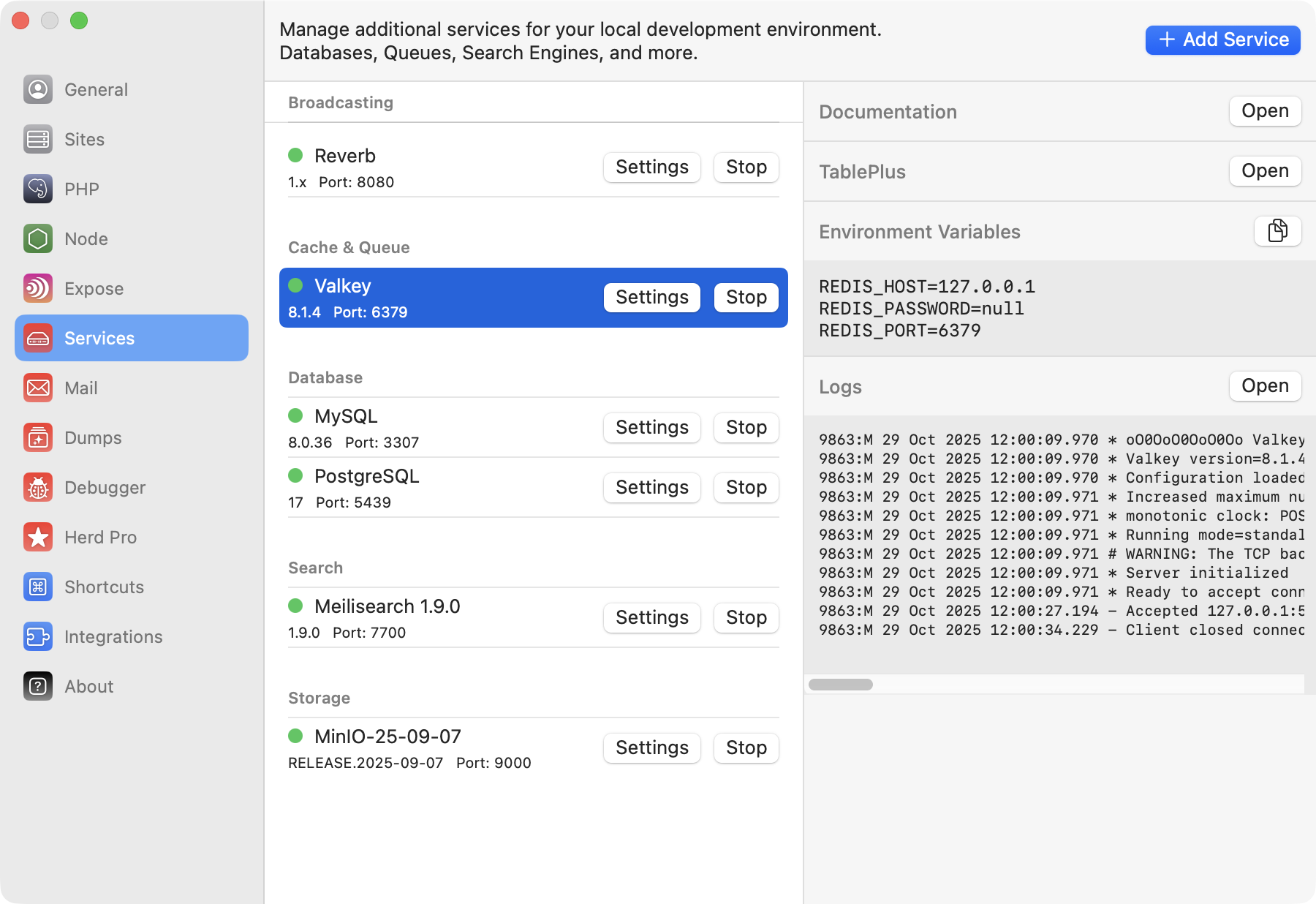
You usually don't need dedicated databases within your Valkey instance, but if you decide to do that or want to debug the content of your database, you can open TablePlus directly from the menu on the right side.
## Configuration
Valkey comes with a sensible default configuration, making it easy to use for local development without any changes. If you want to change the port of the Valkey service or decide if you want to automatically start it with Herd, you can do that in the settings of the service.
You can modify the configuration by right-clicking the service in the settings and opening its data directory. In this data directory, there is a `valkey.conf` that this specific Valkey instance loads on startup.
Make sure to restart the service if you make changes to this configuration file.
## Accessing the Valkey instance
You usually don't need dedicated databases within your Valkey instance, but if you decide to do that or want to debug the content of your database, you can open TablePlus directly from the menu on the right side.
 ## Connecting from your Laravel application
To connect it within your application, you can use the credentials that are listed next to the running service in the
settings, or you can use the ones below. Since Valkey is API compatible with Redis, the configuration is the same.
```env theme={null}
# Driver configuration
CACHE_DRIVER=redis
QUEUE_CONNECTION=redis
SESSION_DRIVER=redis
# Redis setup
REDIS_HOST=127.0.0.1
REDIS_PASSWORD=null
REDIS_PORT=6379
```
## Connecting from your Laravel application
To connect it within your application, you can use the credentials that are listed next to the running service in the
settings, or you can use the ones below. Since Valkey is API compatible with Redis, the configuration is the same.
```env theme={null}
# Driver configuration
CACHE_DRIVER=redis
QUEUE_CONNECTION=redis
SESSION_DRIVER=redis
# Redis setup
REDIS_HOST=127.0.0.1
REDIS_PASSWORD=null
REDIS_PORT=6379
```